font字体
next/font模块,内置了字体优化功能,其目的是防止CLS布局偏移。font模块主要分为两部分,一部分是内置的Google Fonts字体,另一部分是本地字体。
基本用法
Goggle字体
在使用google字体的时候,Google字体和css文件会在构建的时候下载到本地,可以与静态资源一起托管到服务器,所以不会向Google发送请求。
- 基本使用
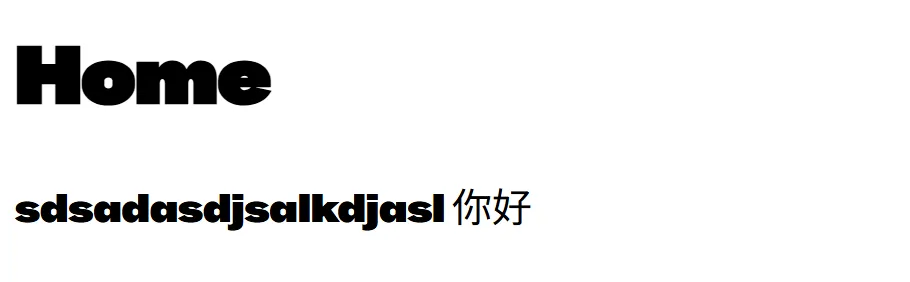
import { BBH_Sans_Hegarty } from 'next/font/google' //引入字体库
const bbhSansHegarty = BBH_Sans_Hegarty({
  weight: '400', //字体粗细
  display: 'swap', //字体显示方式
})
export default function RootLayout({ children }: Readonly<{ children: React.ReactNode }>) {
  return (
    <html lang="en">
      <body className={bbhSansHegarty.className}> {/** bbhSansHegarty会返回一个类名,用于加载字体 */}
        {children}
        sdsadasdjsalkdjasl
        你好
      </body>
    </html>
  );
}
- 可变字体
可变字体是一种可以适应不同字重和样式的字体,它可以在不同的设备上自动调整字体大小和样式,以适应不同的屏幕大小和分辨率。
import { Roboto } from 'next/font/google'
const roboto = Roboto({
  weight: ['400', '700'], //字体粗细 (不是所有字体都支持可变字体)
  style: ['normal', 'italic'], //字体样式
  subsets: ['latin'],
  display: 'swap',
})如何选择其他字体?可以参考Google Fonts
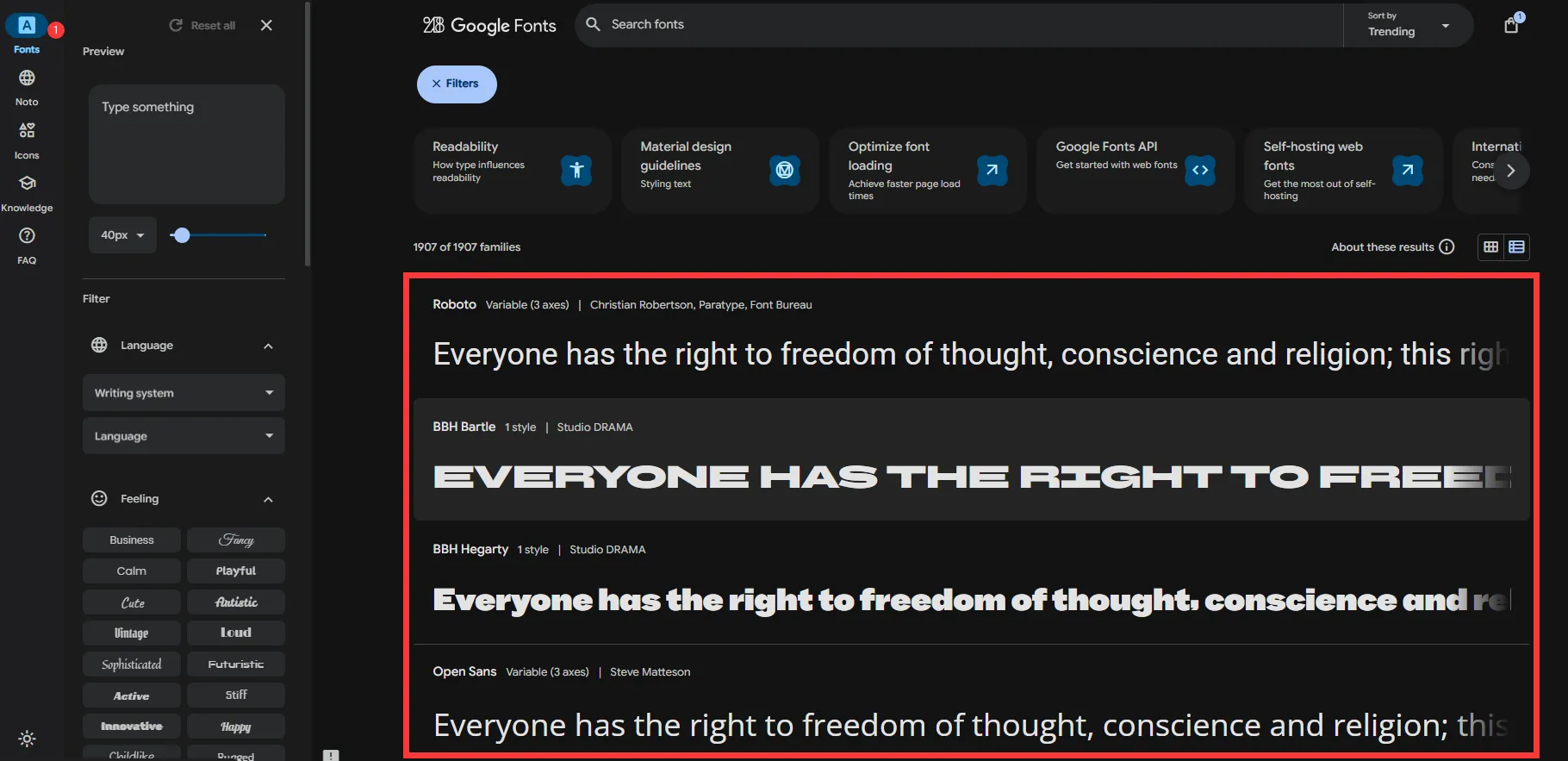
import { Inter,BBH_Sans_Bartle,Roboto_Slab,Rubik,Montserrat } from 'next/font/google' //引入其他字体库API 参考
配置选项
| 属性 | 本地 | 类型 | 必填 | 说明 | |
|---|---|---|---|---|---|
src | ✗ | ✓ | String/Array | 是 | 字体文件路径 |
weight | ✓ | ✓ | String/Array | 可选 | 字体粗细,如 ‘400’ |
style | ✓ | ✓ | String/Array | - | 字体样式,如 ‘normal’ |
subsets | ✓ | ✗ | Array | - | 字符子集 |
axes | ✓ | ✗ | Array | - | 可变字体轴 |
display | ✓ | ✓ | String | - | 显示策略 |
preload | ✓ | ✓ | Boolean | - | 是否预加载 |
fallback | ✓ | ✓ | Array | - | 备用字体 |
adjustFontFallback | ✓ | ✓ | Boolean/String | - | 调整备用字体 |
variable | ✓ | ✓ | String | - | CSS 变量 |
declarations | ✗ | ✓ | Array | - | 自定义声明 |
style
字体样式,如 ‘normal’ ‘italic(斜体)’ ‘oblique(倾斜)’ 等。
weight
字体粗细,如 ‘400’ ‘700’ ‘900’ 等。
display
auto:浏览器默认(通常为 block)
block:空白 3s → 备用字体 → 自定义字体
swap:备用字体 → 自定义字体
fallback:空白 100ms → 备用字体,3s 内加载完成则切换
optional:空白 100ms,100ms 内加载完成则使用,否则用备用字体
本地字体
字体下载地址:免费可商用字体
本地字体需要通过src属性指定字体文件路径,字体文件路径可以是单个文件,也可以是多个文件。
import localFont from 'next/font/local'
const local = localFont({
  src:'./font/zydtt.ttf', //本地字体文件路径
  display: 'swap', //字体显示方式
})
export default function RootLayout({ children }: Readonly<{ children: React.ReactNode }>) {
  return (
    <html lang="en">
      <body className={local.className}>
        {children}
        sdsadasdjsalkdjasl
        你好
      </body>
    </html>
  );
}