sitemap.xml
sitemap.xml 是网站地图,用来向搜索引擎提供一批希望被发现的页面 URL(以及可选的更新时间、更新频率、优先级等提示信息),帮助爬虫更系统地遍历站点。哪些路径不允许抓取或不希望被索引,通常由 robots.txt、noindex 等机制单独声明,而不是靠 sitemap 来“禁止”。
主要作用
- 帮助搜索引擎发现页面 如果你是新网站,并且有大量的路由是深层级的,爬虫很难发现你的页面,这时候你可以使用sitemap.xml来告诉搜索引擎你的页面有哪些,方便搜索引擎抓取。
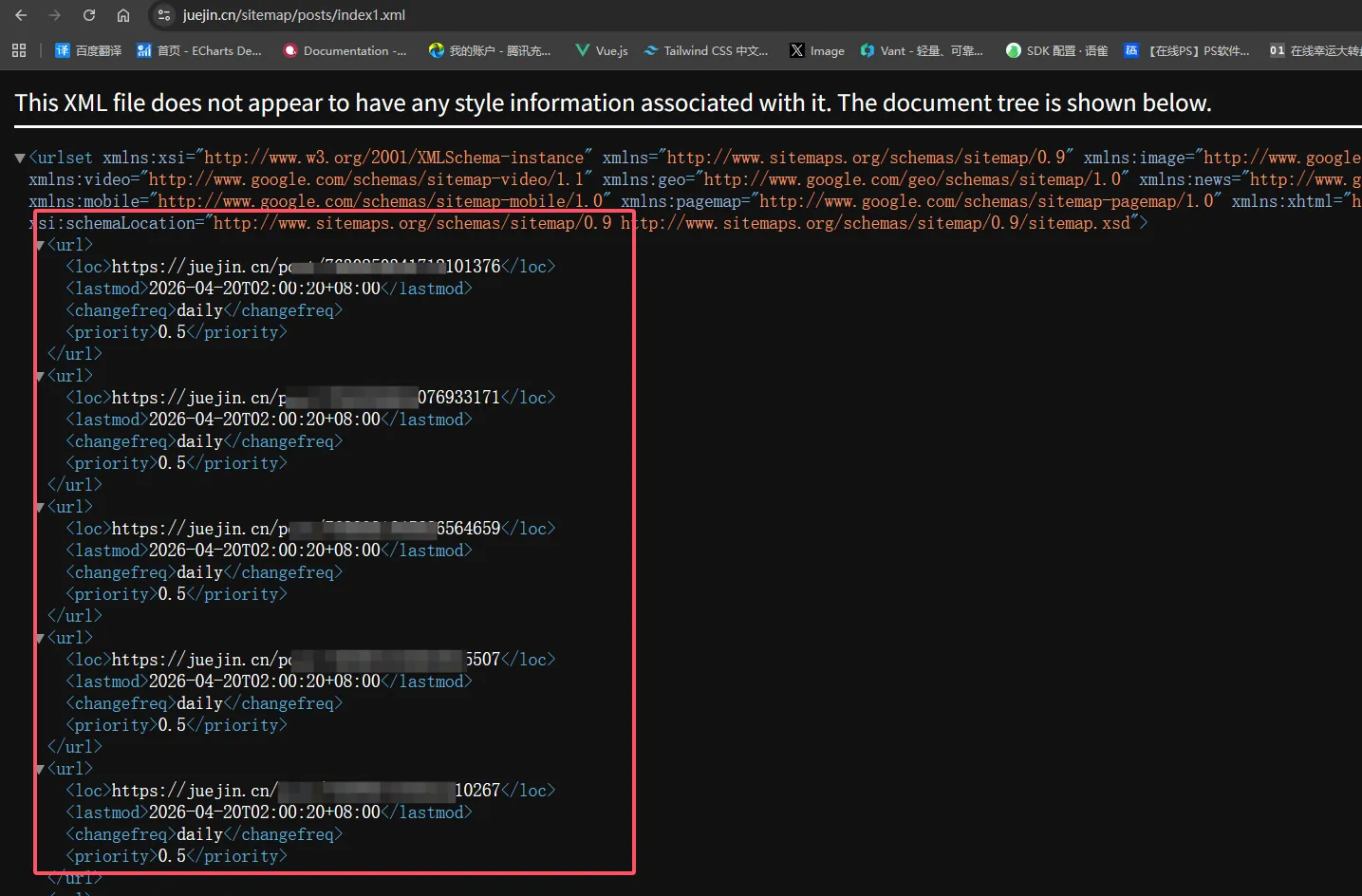
- 利于被发现与纳入索引的考虑:例如掘金这类内容量很大的站点,会通过 sitemap(常按类型或分页拆成多个 XML)把文章 URL 结构化地提供给搜索引擎,提高被抓取、被纳入索引的机会
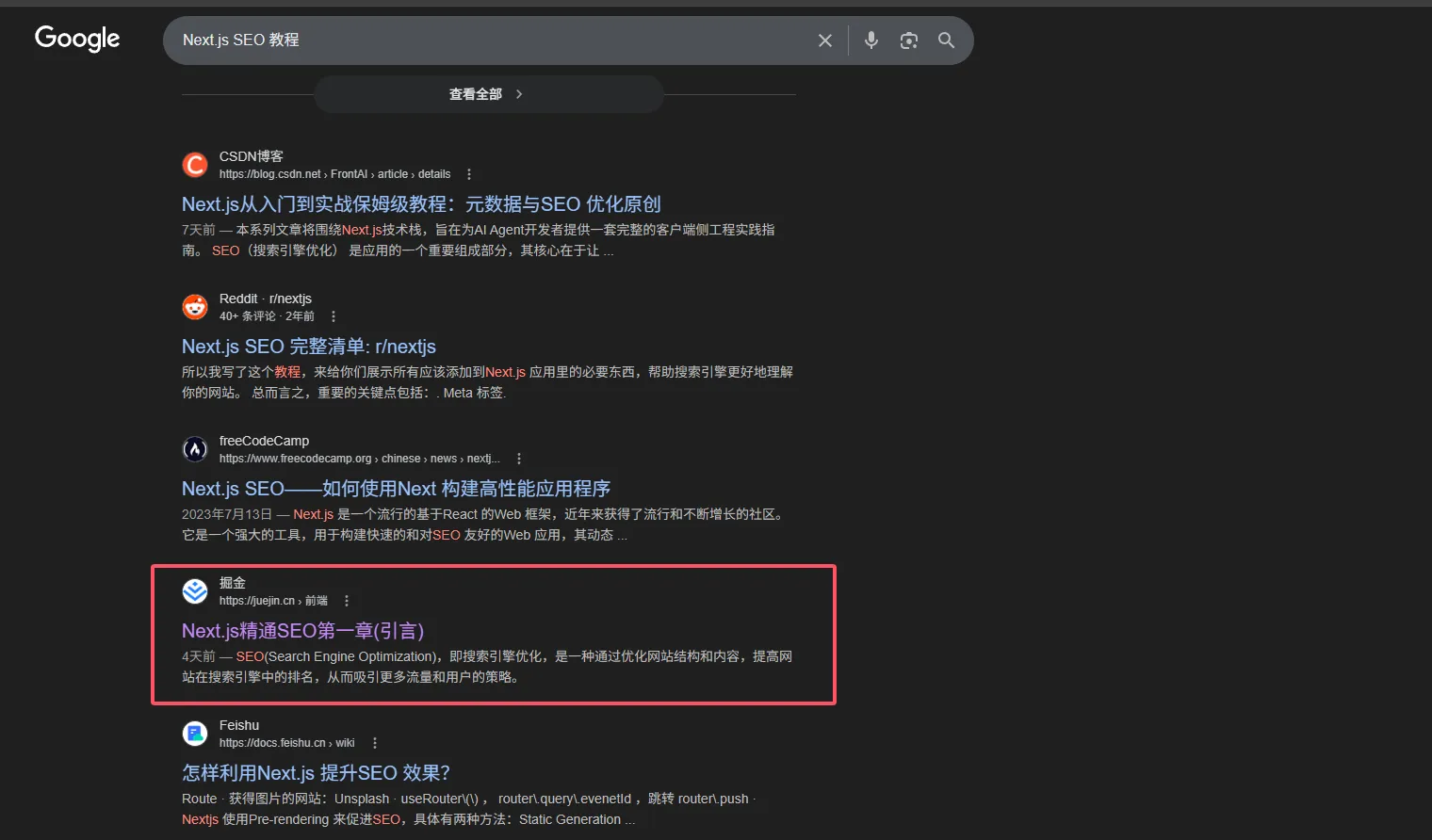 掘金通过 sitemap 列出文章 URL,方便搜索引擎发现并抓取,所以一部分原因是跟sitemap.xml有关,但最终是否收录还是取决于内容质量等其他因素。
常用字段与扩展
下面按 Sitemaps.org 协议 与常见的 Google 扩展(图片 / 视频)来说明。除 loc 外均为可选;扩展需在根节点声明对应 xmlns(见你文末示例)。
loc(必填)
页面 绝对地址(http / https),需与站点实际可访问 URL 一致,并对 &、< 等做 XML 转义(例如 & 写成 &)。
示例:https://www.example.com/page、https://www.example.com/page/1
lastmod(可选)
最后修改时间,建议使用 W3C Datetime(与 协议说明 一致):
- 仅日期:
2026-04-20 - 日期 + 时间(可带时区):
2026-04-20T12:00:00+08:00
尽量与页面真实变更时间一致;胡填可能被搜索引擎忽略。
changefreq(可选)
相对本站该 URL 的“预期更新频率”,协议允许取值如下(英文为写入 XML 的值):
| 取值 | 含义 |
|---|---|
always | 每次访问都可能不同 |
hourly | 约每小时 |
daily | 约每天 |
weekly | 约每周 |
monthly | 约每月 |
yearly | 约每年 |
never | 归档、基本不变 |
注意:这是协议里的提示字段。以 Google 为例,官方文档说明 不会用 changefreq(以及下面的 priority)来决定抓取频率或排序;其他爬虫是否参考也不统一。可填作兼容或自研爬虫的提示,但不要指望靠它“控制抓取周期”。
priority(可选)
仅相对同一站点内其他 URL 的重要程度,浮点数 0.0–1.0,默认 0.5。不是“全互联网排名优先级”,爬虫机器人会根据这个字段来决定抓取页面的优先级。(数字越大表示权重越高,爬虫机器人就会优先抓取)
图片扩展(可选)
在 某个 <url> 条目内 使用 Google 图片扩展:<image:image>,命名空间一般为 http://www.google.com/schemas/sitemap-image/1.1。常见子标签:
| 标签 | 说明 |
|---|---|
image:loc | 图片 URL(核心字段) |
image:caption | 图片说明(可选) |
image:title | 图片标题(可选) |
同一页面多张图可写多个 <image:image>。
视频扩展(可选)
在 某个 <url> 条目内 使用 <video:video>,命名空间一般为 http://www.google.com/schemas/sitemap-video/1.1。面向 Google 视频索引 时,除标题、描述、封面外,通常还需要在 video:content_loc(媒体直链)与 video:player_loc(播放器页)至少填写其一(以 Google 视频站点地图说明 为准)。
常用子标签一览(是否必填随搜索引擎与场景略有差异,下表按常见用法归纳):
| 标签 | 常见要求 | 含义 |
|---|---|---|
video:title | 必填 | 视频标题 |
video:thumbnail_loc | 必填 | 封面图 URL |
video:description | 必填 | 视频文字描述 |
video:content_loc | 常与 player_loc 二选一或并存 | 视频文件地址 |
video:player_loc | 常与 content_loc 二选一或并存 | 可嵌入播放器的页面 URL |
video:duration | 可选 | 时长(秒) |
video:expiration_date | 可选 | 过期时间(W3C Datetime) |
video:rating | 可选 | 评分 |
video:view_count | 可选 | 播放次数 |
video:publication_date | 可选 | 首次发布时间 |
video:family_friendly | 可选 | yes / no |
video:restriction | 可选 | 允许 / 禁止的国家或地区代码 |
video:platform | 可选 | 允许 / 禁止的平台(如 web / mobile) |
video:requires_subscription | 可选 | yes / no |
video:uploader | 可选 | 上传者信息(可用属性 info 等,见官方文档) |
video:live | 可选 | 是否直播:yes / no |
video:tag | 可选 | 标签 |
生成的基本结构如下
在我们编写完sitemap.[ts | js]文件之后,Next.js会自动生成一个sitemap.xml文件。
<urlset
  xmlns="http://www.sitemaps.org/schemas/sitemap/0.9"
  xmlns:image="http://www.google.com/schemas/sitemap-image/1.1"
  xmlns:video="http://www.google.com/schemas/sitemap-video/1.1"
>
  <url>
    <loc>https://example.com</loc>
    <image:image>
      <image:loc>http://localhost:3000/xxxxxxxxxx.jpg</image:loc>
    </image:image>
    <lastmod>2026-04-19T20:21:06.903Z</lastmod>
    <changefreq>yearly</changefreq>
    <priority>1</priority>
  </url>
  <url>
    <loc>https://example.com/about</loc>
    <video:video>
      <video:title>视频标题</video:title>
      <video:thumbnail_loc>http://localhost:3000/xxxxxxxxxx.jpg</video:thumbnail_loc>
      <video:description>视频描述</video:description>
      <video:duration>100</video:duration>
      <video:publication_date>Mon Apr 20 2026 04:21:06 GMT+0800 (中国标准时间)</video:publication_date>
    </video:video>
    <lastmod>2026-04-19T20:21:06.903Z</lastmod>
    <changefreq>monthly</changefreq>
    <priority>0.8</priority>
  </url>
  <url>
    <loc>https://example.com/blog</loc>
    <lastmod>2026-04-19T20:21:06.903Z</lastmod>
    <changefreq>weekly</changefreq>
    <priority>0.5</priority>
  </url>
</urlset>
Next.js中实现sitemap.xml
我们使用的是AppRouter,所以直接在app目录下创建一个sitemap.[ts | js]文件即可。
import type { MetadataRoute } from 'next'
export default function sitemap(): MetadataRoute.Sitemap {
    return [
        {
            url: 'https://example.com',
            lastModified: new Date(),
            changeFrequency: 'yearly',
            priority: 1,
            images: ['http://localhost:3000/xxxxxxxxxx.jpg'],
        },
        {
            url: 'https://example.com/about',
            lastModified: new Date(),
            changeFrequency: 'monthly',
            priority: 0.8,
            videos: [
                {
                    thumbnail_loc: 'http://localhost:3000/xxxxxxxxxx.jpg',
                    title: '视频标题',
                    description: '视频描述',
                    duration: 100,
                    publication_date: new Date(),
                }
            ]
        },
        {
            url: 'https://example.com/blog',
            lastModified: new Date(),
            changeFrequency: 'weekly',
            priority: 0.5,
        },
    ]
}
进阶用法:拆成多个 sitemap(generateSitemaps)
单文件 app/sitemap.ts 适合 URL 数量较少的情况。页面很多时(例如文章、商品各自成千上万条),更常见的做法是 拆成多个 sitemap 文件:既符合 Sitemap 协议 的实践,也便于控制单次生成的体积(例如 Google 建议 每个 sitemap 最多约 5 万条 URL)。
在 App Router 里可以这样做(摘自 Next.js 文档:Generating multiple sitemaps):
- 仍在
app目录下使用sitemap.ts/sitemap.js(或与sitemap.xml二选一,按项目约定)。 - 额外导出
generateSitemaps:返回一组带id的对象,每个id对应一份子 sitemap。 - 默认导出的
sitemap函数会带上当前这份子图的id,你根据id去查库或拼不同前缀的路径即可。
如何访问
- 子站点地图地址形如:
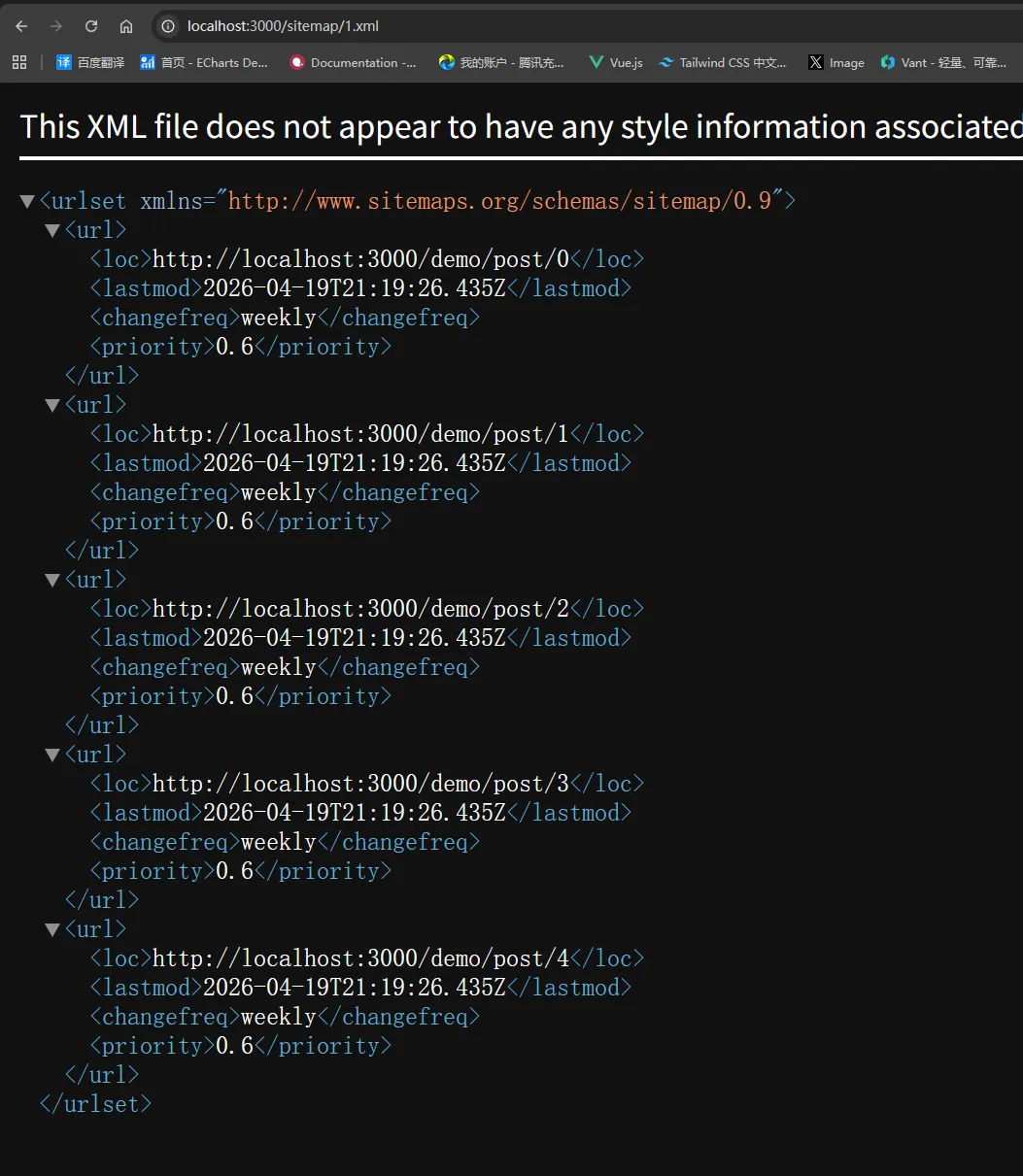
/sitemap/{id}.xml,其中{id}与generateSitemaps()里返回的id一致(例如id: '1'→ 浏览器打开http://localhost:3000/sitemap/1.xml,与下图一致)。 - 若文件放在嵌套路由下(例如
app/products/sitemap.ts),则前缀会带上段路径,形如/products/sitemap/{id}.xml(见 generateSitemaps 文档中的 URL 说明)。 - 启用多份 sitemap 后,根路径一般还会提供
/sitemap.xml作为 站点地图索引(sitemap index),里面列出各子 sitemap 的 URL,提交给搜索引擎时通常 优先提交这份索引。
下面示例演示 三份子图(文章 / 用户 / 资讯),每份里临时生成 5 条 URL;真实项目里把 for 循环换成 调接口或查数据库 即可。
import type { MetadataRoute } from 'next'

/** 每个 id 对应一份子 sitemap */
export async function generateSitemaps() {
  return [{ id: '1' }, { id: '2' }, { id: '3' }]
}

const SEGMENT_BY_ID: Record<string, string> = {
  '1': 'post',
  '2': 'user',
  '3': 'new',
}

export default async function sitemap(props: {
  id: Promise<string>
}): Promise<MetadataRoute.Sitemap> {
  const id = await props.id
  const segment = SEGMENT_BY_ID[id] //根据id获取对应的segment
  if (!segment) return []

  const num = 5 //模拟生成5条URL
  const entries: MetadataRoute.Sitemap = []

  for (let i = 0; i < num; i++) {
    entries.push({
      url: `http://localhost:3000/demo/${segment}/${i}`,
      lastModified: new Date(),
      changeFrequency: 'weekly',
      priority: 0.6,
    })
  }

  return entries
}